
Every second brain I built before this one died the same way. A beautiful vault, forty notes, and no reason to open it on a Tuesday. The system was storage. My actual day was happening somewhere else: in a calendar, a to-do app, four browser tabs and my head.
So I stopped building a filing cabinet. What follows is the full guide to building a second brain with Claude Code and Obsidian — a dashboard that shows one task, blocks time for it on my real calendar, hands me something worth reading, and at night tells me what I actually did.
I didn't handwrite the plugin. I have a 9-5, a channel and side projects, same as you. I described what I wanted to Claude Code one piece at a time, loaded it in Obsidian, looked at what came back and said "now add this." That loop took me weeks, mostly because I did it out of order. Written down properly it's eleven phases, and the order is the actual product.
What you'll get out of this
- The two rules that stop a build like this collapsing at phase four
- Why the entire system sits on plain markdown files, and what that buys you
- How time blocks reach your real calendar with no OAuth, no API key, no Zapier
- The two bugs that fight you when you dock Claude Code inside Obsidian
- The morning and evening rituals that turn a dashboard into something with an opinion
The two rules, and the eleven phases they produce
Rule one: design before you build. Get the whole picture before a single file exists. Rule two: build in phases. One phase, reload, look at it, then the next. Never ask for everything at once, because a model asked for eleven things will do nine of them badly and you won't know which nine.
That's the entire methodology. The eleven phases below are those two rules applied until the thing is finished.
Design the dashboard
In Claude Design, describe theme, colour, fills, navigation and sections until the picture is something you'd want to open every morning.
Scaffold the plugin
Claude Code inside your Obsidian plugin folder: TypeScript, React, one dashboard view, five empty tabs, one button. No features.
Build the focus banner
The banner and timer above the tabs. Treat it like a hero section and give it the time a hero section deserves.
Build the front seat
The one task that owns your day, sitting in the tab body. As simple as it looks, it took the most iterations of anything here.
Move everything onto markdown
Every tile reads and writes a plain file in your vault. No database, no cloud, nothing proprietary.
Wire time blocks to the calendar
Drop a block on the timeline and it becomes a real event on your actual calendar, immediately.
Add the live feeds
Quote of the day plus raw feeds straight from the source, filtered by keywords you pick.
Build the Inspire tab
Daily art, a biography excerpt, language phrases, resurfaced bookmarks, and a brain dump box.
Dock the terminal
Claude Code running directly under the dashboard so you never leave the window to change it.
Add voice control
Dictation without paying a third party for it, using a free Groq API key.
Write the rituals
Plan today in the morning, close today at night. This is the phase that turns a dashboard into a partner.
Why you design the dashboard before you write any code
Claude Code will happily generate a dashboard on the first ask. It'll be grey, boxy and generic, and you'll spend the next hour describing everything you didn't want.
Claude Code is incredible at writing code. It is not great at inventing a look from nothing.
So the first prompt of this build never went to Claude Code at all. It went to Claude Design, with as much detail as I could stand to type: theme, colour, fills, navigation, sections. The more specific the prompt, the better the odds it lands in one shot. I broke that workflow down properly in four steps for turning Claude into a design genius.
The theme decision is yours, and it isn't cosmetic. Mine: monochrome, glass cards, five tabs, an hourglass. My phone is set to greyscale for the same reason — colour and icons everywhere is brain fatigue I don't need. The purpose was maximum productivity while still managing health and social life in one place, so the tabs follow that, not somebody else's template.
Iterate on the picture
Then iterate visually. The first hourglass came back flat, so I pasted the image back and asked for depth instead of a 2D shape, plus a colour I could only describe as alchemist: the shade you'd get if someone were making diamonds. Vague words work fine here as long as you show it the picture you're reacting to.
Scaffolding the Obsidian plugin: five empty tabs and nothing else
Now the boring part, on purpose. Open Claude Code inside your Obsidian plugin folder and ask for the skeleton: TypeScript, React, one dashboard view, five empty tabs, a button that opens it. The entire goal is a plugin that installs, opens, and shows five empty tabs.
Then enable it in Obsidian, click the icon, and watch an empty shell open. That's the discipline for the whole build: verify before you move on. Does it open? Does it crash? Clean open, next phase. Everything after this is the fun part rather than config, but only if the plumbing is finished first.
While you're in settings, turn on Web Viewer so you never have to leave Obsidian for a browser, and add a couple of plugins from the browse panel. Calendar is non-negotiable. One that opens a terminal is worth having early, for reasons that become obvious at phase nine.
Why every tile is a plain markdown file
This is the most important decision in the build and it takes ten seconds to describe. Everything on the dashboard is a markdown file in your vault. The current task is a file. The trunk is a file. Your to-dos, brain dumps, language notes and side projects are files. No database, no cloud, no proprietary format.
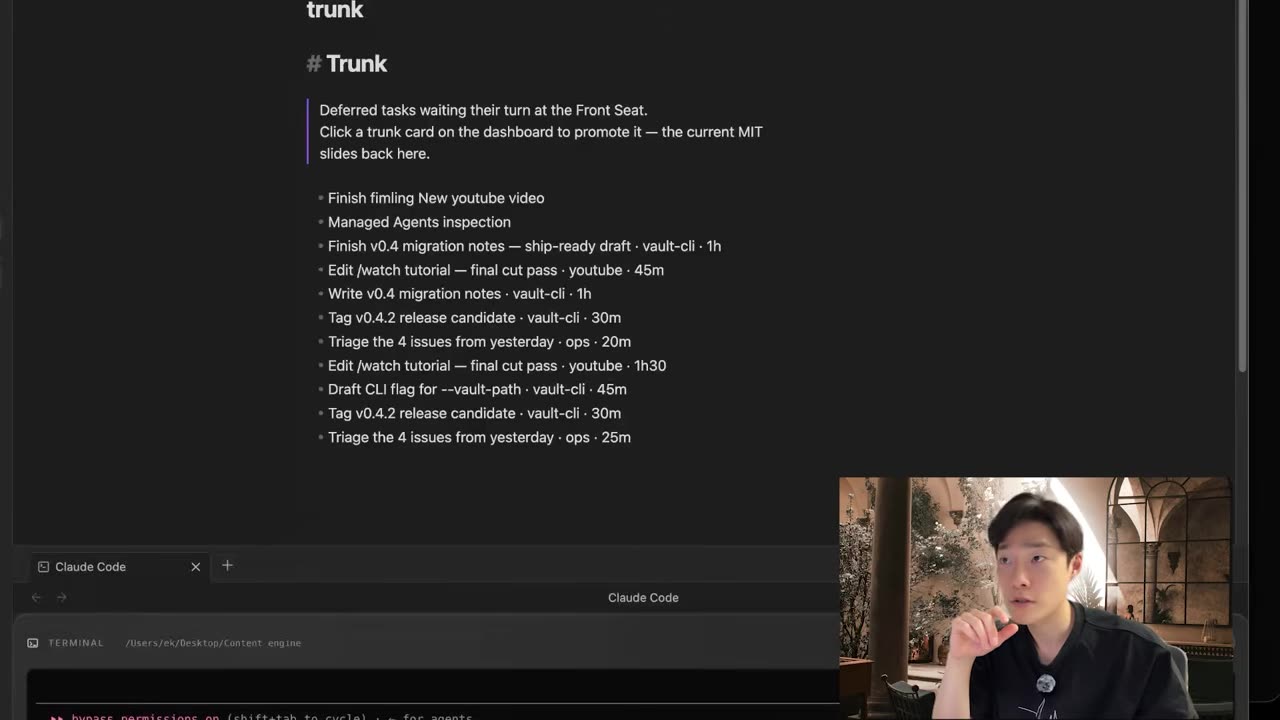
Here's why it matters more than any tile you'll build. Your data stays yours, in plain text. You can search it, back it up with whatever already backs up a folder, and edit it from your phone on the train. If you delete the plugin tomorrow, your entire life is still sitting there in readable files. Nothing locks you in, which is a strange thing to be able to say about a productivity system.
How time blocks reach your real calendar without an API key
Deep work, stretch, run, whatever you're protecting: drop it on the timeline and it blocks the time. The point of phase six is that the block doesn't stay inside the dashboard. It shows up on your actual calendar, immediately, exactly as if you'd created it there.
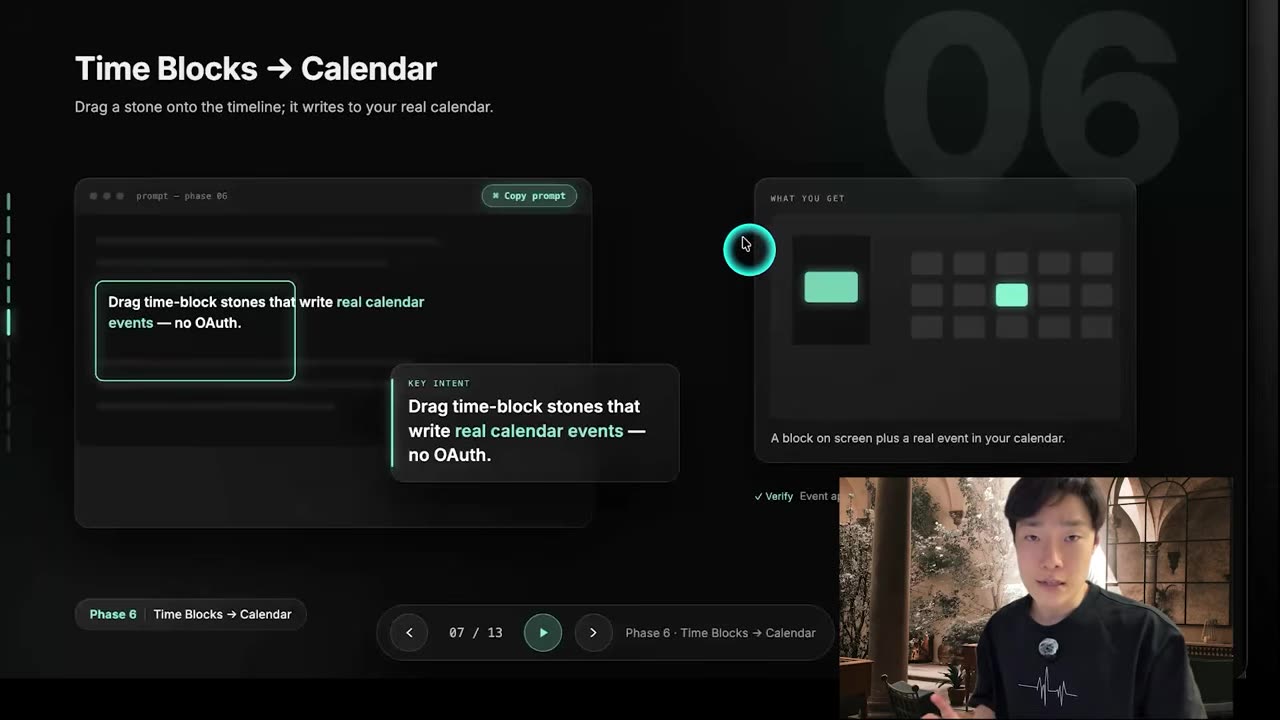
No OAuth screen, no API key, no Zapier account in the middle. Your block becomes a real event with zero third-party services, which also means zero third-party bills and nothing to re-authorize in six months when a token quietly expires. I'm biased here: I've written about what happens when an agent quietly burns $18 a day, and the fix is almost always removing a service rather than adding one.
Feeds and the Inspire tab: signal with nobody in the middle
Phases seven and eight are where the dashboard stops being a to-do list. A quote of the day, and feeds pulled straight from the source — Reddit among them — free, with no influencer standing between you and the raw thing. You set the keywords, so the feed reflects what you're actually working on instead of an algorithm's guess about you.
The Inspire tab is my favourite and the least defensible on a productivity spreadsheet: a real piece of art every day, a biography excerpt about someone's resilience, Chinese phrases you can click to hear pronounced, and old bookmarks resurfacing from wherever you saved and forgot them.
At the bottom is a brain dump box I keep deliberately empty, so there's always somewhere to put a thought at 11pm. The reasoning behind that whole tab is in the command center this dashboard grew out of.
Docking Claude Code in the dashboard, and the two bugs that fight you
Phase nine puts a real terminal directly below the dashboard with Claude Code living in it. You stop leaving the window. Whatever you want changed gets asked for in the same place you're looking at the thing you want to change, which is the difference between a dashboard and a workbench. It's the same instinct behind running my video edits through Claude Code instead of a separate app.
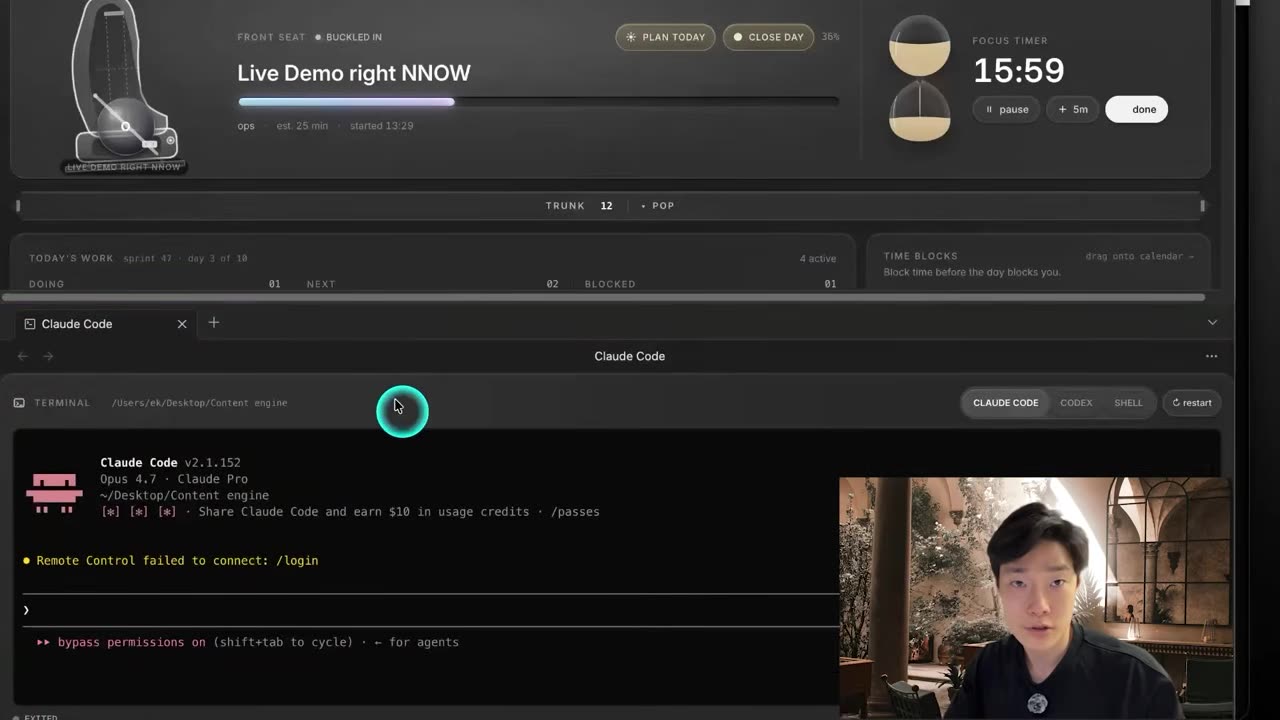
The terminal has to be rebuilt to match Obsidian's exact version rather than your system one, and Obsidian launches with a stripped-down PATH, so the embedded shell can't find what your normal shell finds. I lost real time to both. Each is one rebuild and one command, so fix them at this phase instead of working around them for the rest of the build.
Phase ten is voice. Dictation the way Wispr Flow does it, except it runs inside your own dashboard and you're not paying a third party a subscription for the privilege. Make a Groq account, use the free API key, and the free tier covers everything this needs.
The two rituals that make it a partner instead of a dashboard
Phase eleven is the one I'd build first if I had to start again. In the morning I click Plan today. It reads my calendar, my trunk and my latest brain dumps, then proposes the single task for the front seat plus a couple of time blocks, with its reasoning attached. If I agree, I type buckle in, and the day is set.
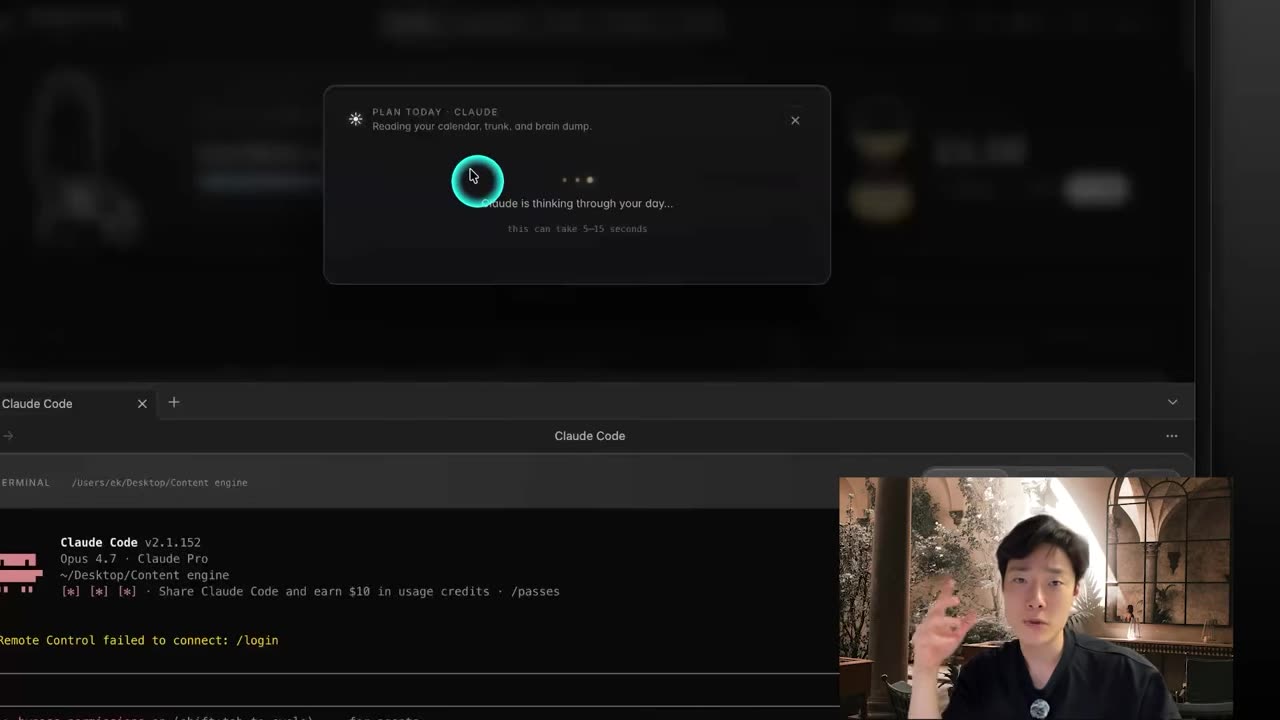
At night, Close today. The dashboard has been quietly logging every action all day, so the review isn't a memory test. It tells me what I got done, what slipped and what's worth carrying into tomorrow, and I decide what carries and what gets dropped. Two clicks. That's the whole distance between a dashboard you admire and a system with an opinion about your Tuesday.
The whole thing is forkable. Swap the quotes, the stories, the language, the calendar, the shape of the front seat, the tab names, the time block durations. Hand Claude Code one phase at a time and describe your changes in your own words — pasting all eleven at once doesn't hold together. Ask it what's immediately implementable and what needs another plugin installed first, and it'll sequence the work for you.
If something doesn't sync — bookmarks, notes, a tile that stays stubbornly blank — say exactly that and let it find the break. That's the entire debugging workflow, and it's how most of what I build gets finished. It took me weeks to reconstruct this order, digging back through old Claude Code sessions to work out which flow actually came first. You get to skip that part.
Build yours phase by phase
The video is these same eleven phases with my screen in front of you, including the tiles that took several attempts before they looked right. If you build one, come show it in AI Movers — I want to see which tabs you keep and which ones you throw straight out.
Frequently asked questions
Do I need to know how to code to build this second brain in Obsidian?
No. I described what I wanted to Claude Code one phase at a time, loaded the result in Obsidian, looked at it and asked for the next change. You need to be able to read a screen and say what is wrong with it. The plugin is TypeScript and React, and you will never have to write either by hand.
Where does the data live if there is no database?
In plain markdown files inside your Obsidian vault. The current task is a file, the trunk is a file, your to-dos and brain dumps are files. There is no database, no cloud service and no proprietary format. Delete the plugin tomorrow and every note is still a readable text file you can search, back up or edit on your phone.
Does the calendar sync need an API key, OAuth or Zapier?
None of the three. You drop a block on the dashboard timeline and it becomes a real calendar event immediately, with no third-party account in the middle. That means nothing to re-authorize in six months and no monthly bill for what is essentially a file being written in the right place.
Why does the terminal break when you embed Claude Code in Obsidian?
Two reasons, and they hit almost everyone. The terminal has to be rebuilt against Obsidian's exact version rather than your system one, and Obsidian launches with a stripped-down PATH, so the embedded shell cannot find the tools your normal shell finds. Both are fixed at that phase with a rebuild and one command, not a redesign.
How long does the build take if I follow the phases in order?
It took me weeks, because I was discovering the order while building and had to trace back through multiple Claude Code sessions to work out what came first. Following the phases in sequence, it is closer to an afternoon of pasting prompts and checking each phase opens cleanly before starting the next one.