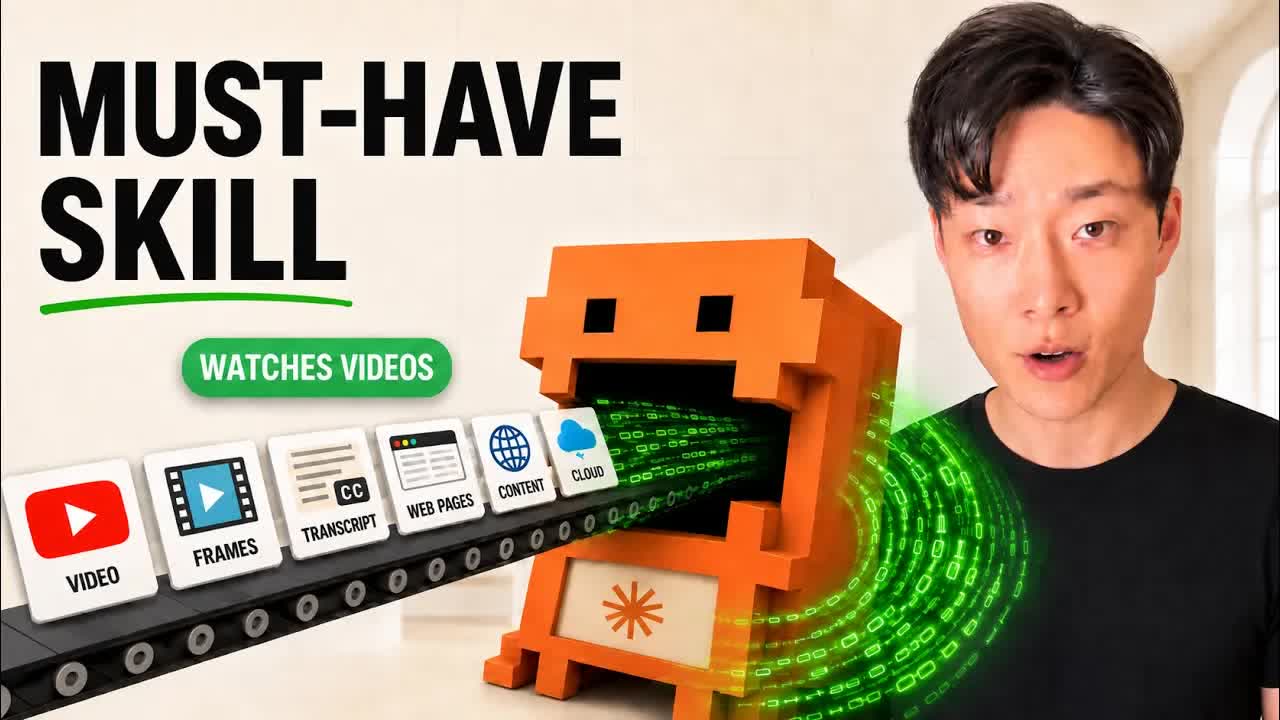
You paste a link into your agent and ask it to watch the video. Back comes the same apology every time: sorry, I can't watch video, but based on the title and description, let me guess. Or, if you're lucky, an offer to work from the transcript.
So you do the thing everyone does. You screenshot the screen, paste it in, scrub forward, screenshot, paste, screenshot, paste, until the model finally has enough context to be useful. Ten minutes of clipboard work to avoid twenty minutes of watching. That is not automation, that is a worse job.
There is a fix and it is free. This is how to make Claude Code watch YouTube videos properly, frames included, with a skill called /watch that stitches together two open-source tools you may already have installed. By the end you'll know how the pipeline works, what it costs to run, the one thing that breaks during install, and the research loop I actually use it for.
What you'll get out of this
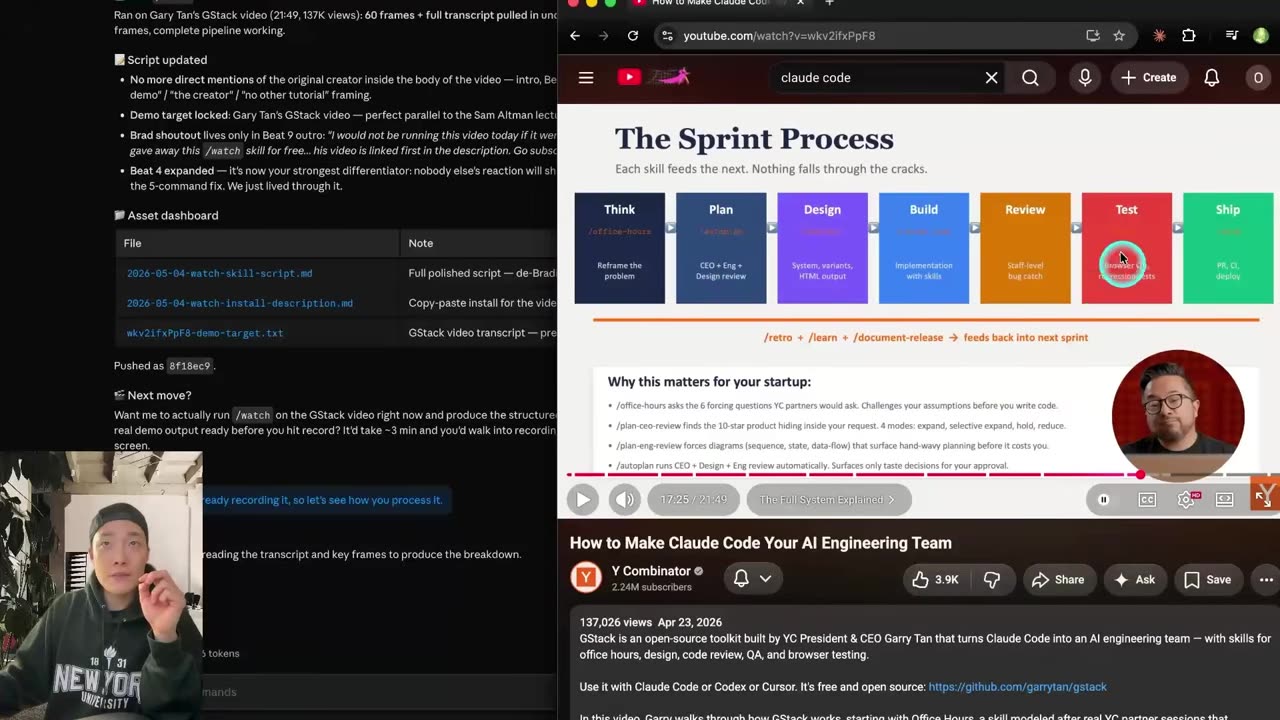
- The exact pipeline: yt-dlp downloads, ffmpeg slices frames and audio, Claude reads the frames like a flip book
- A two-command install, plus the fix for the day YouTube decides to fight your downloads
- Real running costs: $0 on my Anthropic dashboard, two cents on transcription across three videos
- Why the frames matter more than the transcript, with the failure case that proves it
- The research loop it replaces, and the popular workflow I think is a waste of your time
Why a transcript alone gives you a shallow answer
Having a transcript and guessing from a thumbnail is a completely different thing from watching. The full context lives in the moment the screen changes, not in the words flowing around it. Someone says "and then it just works" while the terminal prints a specific error, a config value, a price. The transcript keeps the sentence and throws away the evidence.
Picture hiring a producer for your content who can hear everything and see nothing. They'd still have opinions. The opinions would be shallow, and you'd stop asking. That is exactly what a transcript-only agent is, and it is why the summaries feel plausible and useless at the same time.
The problem compounds because the best AI content right now ships as video. Long-form, in-depth, live demos and build-alongs. The demos, the news and the step-by-step instructions all live in the one format your agent can't open.
How the /watch skill works under the hood
No new model, no expensive API. Two old open-source tools and the right glue.
- yt-dlp downloads the video.
- ffmpeg slices it into frames and pulls the audio out.
- If the source has captions, and most videos do, the transcript is free.
- If it doesn't, Whisper running on Groq transcribes the audio for pennies.
- Then Claude reads the frames like a flip book and the transcript like a script, and answers your question against both.
Speed is the part that changes your behaviour. A 45-minute interview and an 8-minute tutorial finish in roughly the same time, because the download and the slicing dominate, not the reading. I timed a batch of runs and none went over two minutes. Usually Claude is done before I would have made it past the intro.
How to install it in two commands
The clean path is genuinely short. Inside Claude Code, add the marketplace, install the plugin, restart.
# inside Claude Code
/plugin marketplace add taeloautomates/claude-video
/plugin install watch@claude-video

# restart, then point it at anything
/watch https://www.youtube.com/watch?v=...
/watch ~/Movies/raw-take-03.mp4-
Add the marketplace, install the skill
Two commands in Claude Code. The repo and the exact marketplace path are linked in the video description.
-
Restart Claude Code
The skill registers on restart. The first time it runs it checks its own dependencies and prints the exact install command for your system if something is missing, so you're not guessing at Homebrew formulas.
-
Grab a free Groq API key
From the Groq console. This is the transcription fallback and nothing else. If every video you feed it has captions, the key sits unused.
-
Point /watch at something and ask a real question
Don't ask for "a summary". Ask for the hook, the setup, where the surprise lands, what the punchline is. You get a structure you can act on instead of a paragraph you skim.
What to do when YouTube fights the download
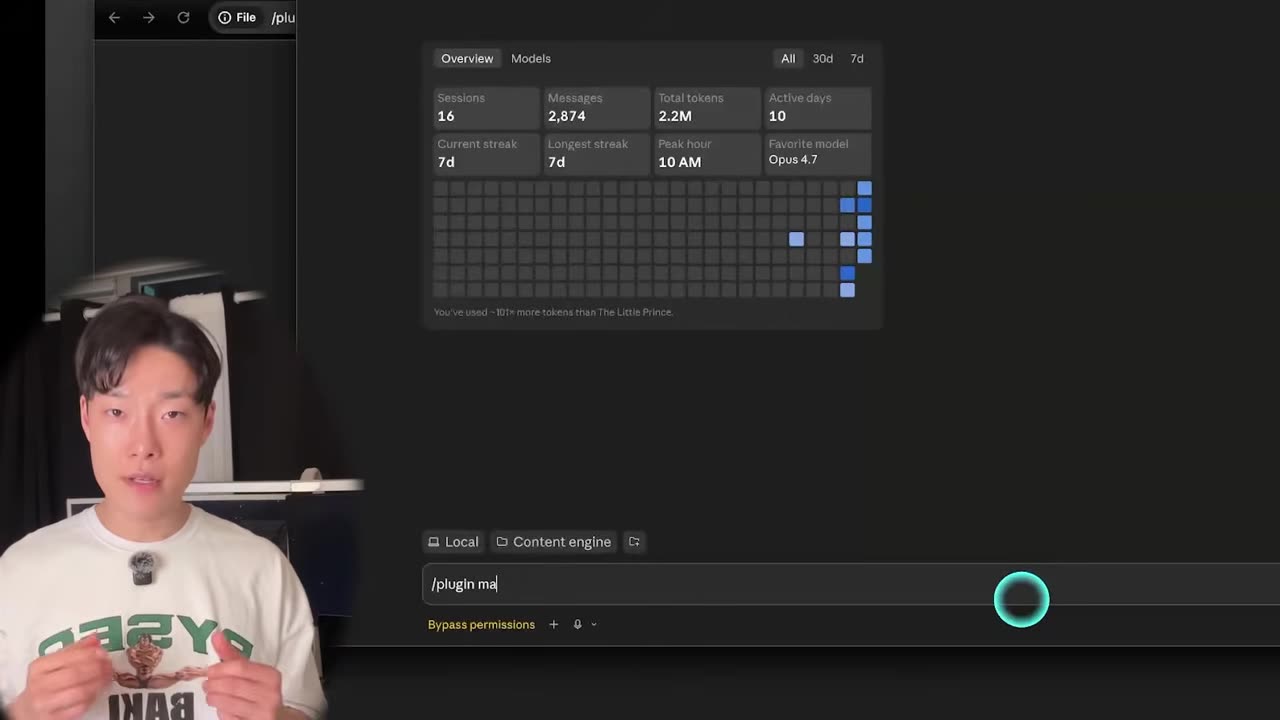
Most of the time it really is two commands and done. The day I installed this, it wasn't. YouTube was actively blocking every download attempt, and no reaction video mentions that part because the clean demo never hits it.
Here's the actual reason, so the fix makes sense rather than being cargo cult. YouTube's newer protocol serves a challenge that requires a JavaScript runtime to solve, and it checks browser cookies to confirm you're a person and not a bot farm. The downloader needs both: a runtime to answer the challenge, and your cookies to pass the identity check. Install those, point the tool at them, and the failures stop.
The patched path is five commands and about fifteen minutes, installed through uv. You do it once. After that the two-command experience is the one you live in, and the difference between "this skill is broken" and "this skill is magic" is entirely that fifteen minutes.
Easier to see than to read: watch a 21-minute video go in as a raw link and come back as a structured breakdown, timed, in one unbroken take.
Watch the run at 1:35What it costs to run
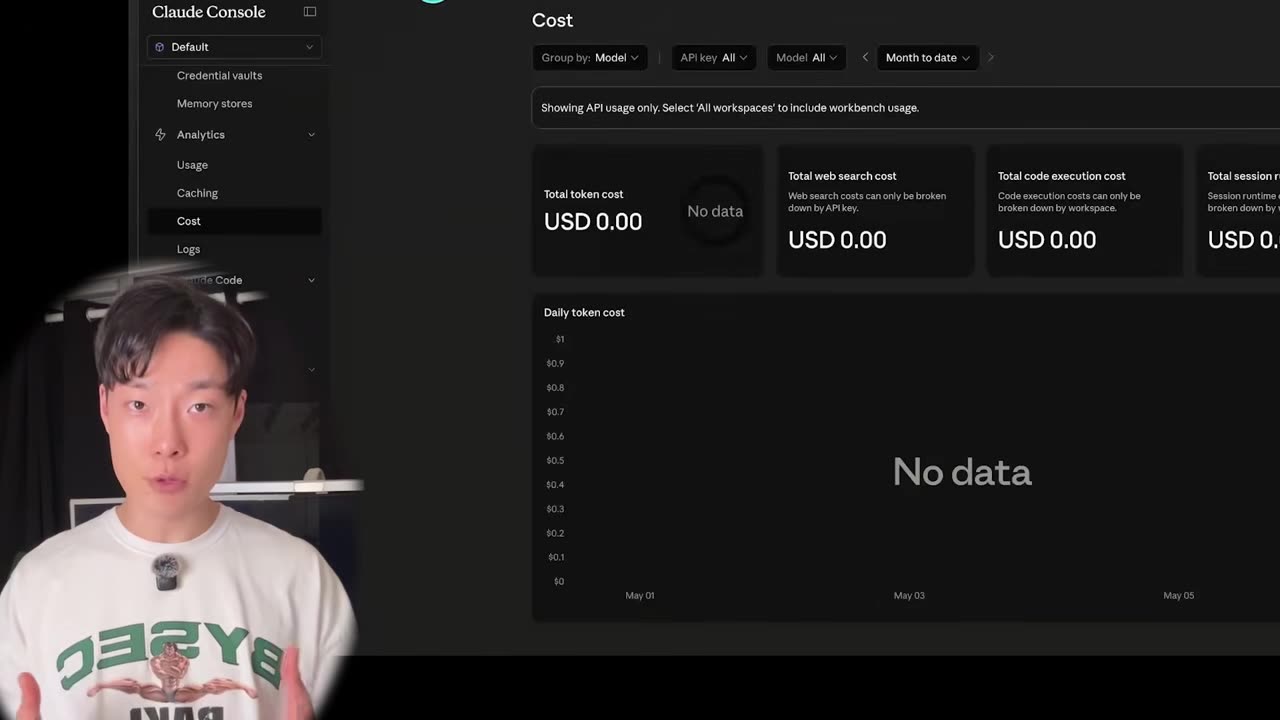
This is where I expected a nasty surprise and didn't get one. My Anthropic dashboard for the month of running this: $0. Not "cheap", zero. The reasoning happens inside the Claude Code subscription you already pay for, $20 a month on Pro, so there is no second API bill stacked on top.
The only line item that moves is transcription, and only when the video has no captions. Three videos in, most had captions and one didn't. That one cost two cents. Groq doesn't bill you until you cross the free tier, so unless you're feeding it an endless stack of uncaptioned documentaries, the free tier covers everything you'll realistically do.
If you care about keeping agent costs near zero as a discipline rather than an accident, the same instinct that makes this cheap is the one behind making an agent 35x more efficient: don't send the model work it doesn't need to do.
The research loop this actually replaces
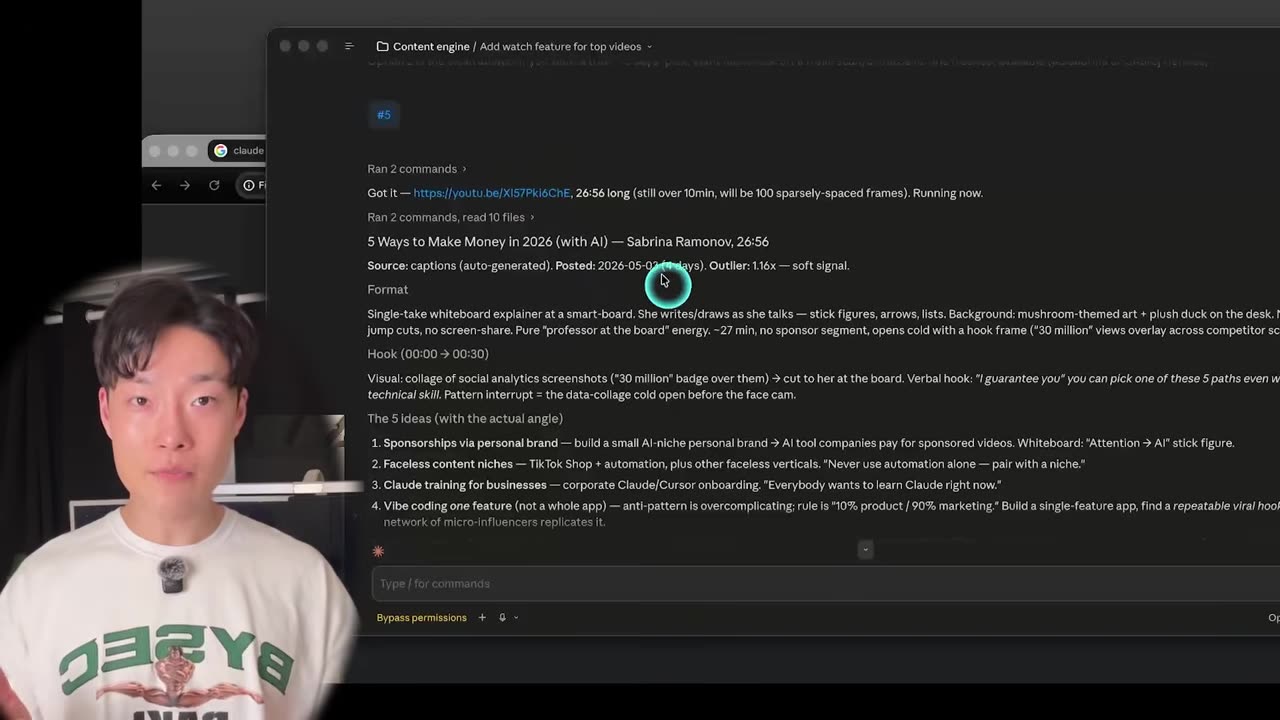
Here's my real use. I already run a scanner that watches 40-plus AI YouTubers and ranks the videos that broke at least double their own channel's average views. It tells me what's worth my attention right now. Useful, and also the start of the problem: it hands me winners I then have to sit and watch, 20 to 30 minutes each, three deep, before I know whether any of them matter.
Now the scanner picks the video, /watch ingests it, and Claude hands back the breakdown. Hook, setup, where the surprise lands, what the punchline is. Forty-plus minutes of work compressed into two.
Why I stopped stockpiling a research vault
This is where I part ways with most people running a stack like this. The popular move is to compound: an Obsidian vault full of competitor breakdowns, auto-filed, cross-linked, growing forever. It looks impressive. It's mostly waste.
An AI take from three days ago is already half stale. Worse, it actively misleads, because an agent reading your archive can't tell that the video with two million views stopped mattering last Tuesday. You can tell, as a human, instantly. The agent sees a big number and reports it as a live trend. That's how you end up making a video about something the audience finished being interested in.
So I don't compound automatically anymore. I run the scan and /watch the top three on the day I'm hunting for an idea, not on a schedule, not the week before. Fresh, then ship, then throw it away.
The leverage isn't in the library. The leverage is in the skill being fast enough that you don't need a library.
That's a claim about competitor research specifically, not about note-taking in general. Your own notes, decisions and project state compound beautifully, which is exactly why I still run a second brain built with Claude Code. Someone else's opinion about a model that shipped last week does not.
Watch the install go wrong, then go right
The video has the parts a written post can't carry: the live run against a 21-minute video, timed, and the exact five-command patch for the day YouTube decides your machine is a bot. If you build something on /watch, bring it to AI Movers and I'll run it through mine.
What this doesn't solve
Two big pieces of AI content are still standing, and honest positioning beats hype here.
Scripting and filming, you shouldn't delegate. I write my own scripts and I've never let a model write one, because people can tell. To mimic your rhythm and cadence a model needs a mountain of your existing work, and even then you'd rewrite it. Unless you have a Hormozi-sized archive to train against, the voice stays yours. The human side isn't going anywhere.
Editing still needs a human
Editing is the other one. Choosing the structure, the motion graphics, the B-roll, where the captions pop. Every AI edit still needs a human sitting on top of it, which is a different claim from saying it can't be automated at all, and it's the reason I built an automated editing pipeline in Claude Code rather than handing the whole edit to a model.
What /watch takes off the table is the research. Where trends are going, how the best videos are structured, what pattern keeps repeating across the winners. You just gave your producer eyes when they previously only had ears. That's the front half of the job, and it was the half eating the most hours.
The rest of the stack I run is built on the same principle: give the agent the input a human would have, then get out of the way.
Frequently asked questions
Can Claude Code actually watch a video, or is it just reading the transcript?
It watches. The skill uses ffmpeg to slice the video into frames and hands those frames to Claude alongside the transcript, so the model sees the terminal output, the dashboard and the diff on screen, not only the words spoken over them. That visual layer is the difference between a summary that guesses and one that describes the demo.
How long does the /watch skill take on a long video?
Under two minutes in every run I have timed, and length barely moves the number. A 45-minute interview and an 8-minute tutorial both land in roughly the same window, because the slow part is downloading and slicing rather than reading. Usually Claude is finished before I would have got through the sponsor read.
How much does it cost to run the /watch skill?
Close to nothing. The reasoning runs inside the Claude Code subscription you already pay for, so my Anthropic dashboard for that month read $0. The only line item is transcription, and only when a video ships without captions. Three videos in, one had no captions, and it cost two cents on Groq's free tier.
Why does YouTube block the download and how do you fix it?
YouTube's newer protocol wants proof you are a person. It serves a challenge that needs a JavaScript runtime to solve, and it checks browser cookies. Installing the runtime and pointing the downloader at your cookies clears both. It is five extra commands and about fifteen minutes, done once, and then downloads stop failing.
Does /watch work on local video files or only YouTube links?
Both. Give it a file path and it watches that file the same way it watches a URL. I run my own raw recordings through it and ask for feedback on pacing and structure, then apply the notes to the next script. It is the fastest editor's second opinion I have ever had.